MetaBotBrand in a 3D Simulation
A fully built 3D simulation where anyone can run the robot on their own Color Code tracks, free.
01The Problem
Ozobot's flagship app was a glorified spec sheet: a Color Codes chart, a stack of resource links, zero reason to come back. For a free app that was supposed to be the first step toward buying the physical robot, it wasn't doing its job.
02Role & Scope
I led the product design of MetaBot, from the Color Code track builder and the 3D worlds to the camera angles, costumes, physics objects, intro lessons, and the Circuit of the Americas track, working with a senior software engineer and a graphic and motion designer.
- Role
- Lead Product Designer
- Time Frame
- 2023 – 2024
- Team
- Lead Product Designer (me)
- Sr. Software Engineer
- Graphic & Motion Designer
03Discovery
Catching Its Breath
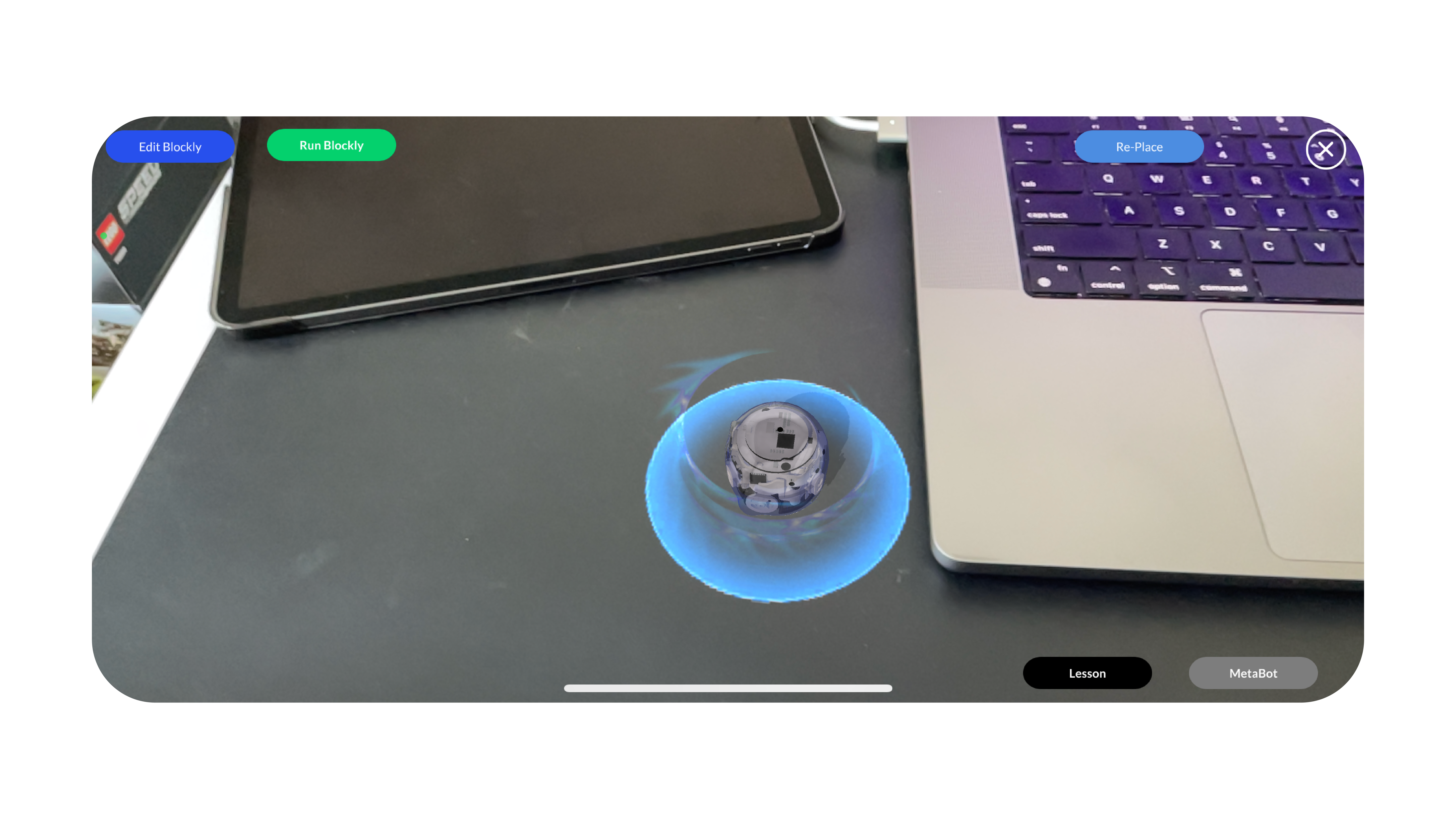
This is the app before the redesign touched it, and there was already real substance underneath. Evo dropped onto any flat surface as an anchored 3D model, no printed materials required, the AR trick already worked. What it didn’t do was bring anyone back a second time. Reality, it turned out, wasn’t the point, so instead of pointing the camera at the real world, we set out to build new ones: places a student could imagine and explore, not just the same desk they started on.
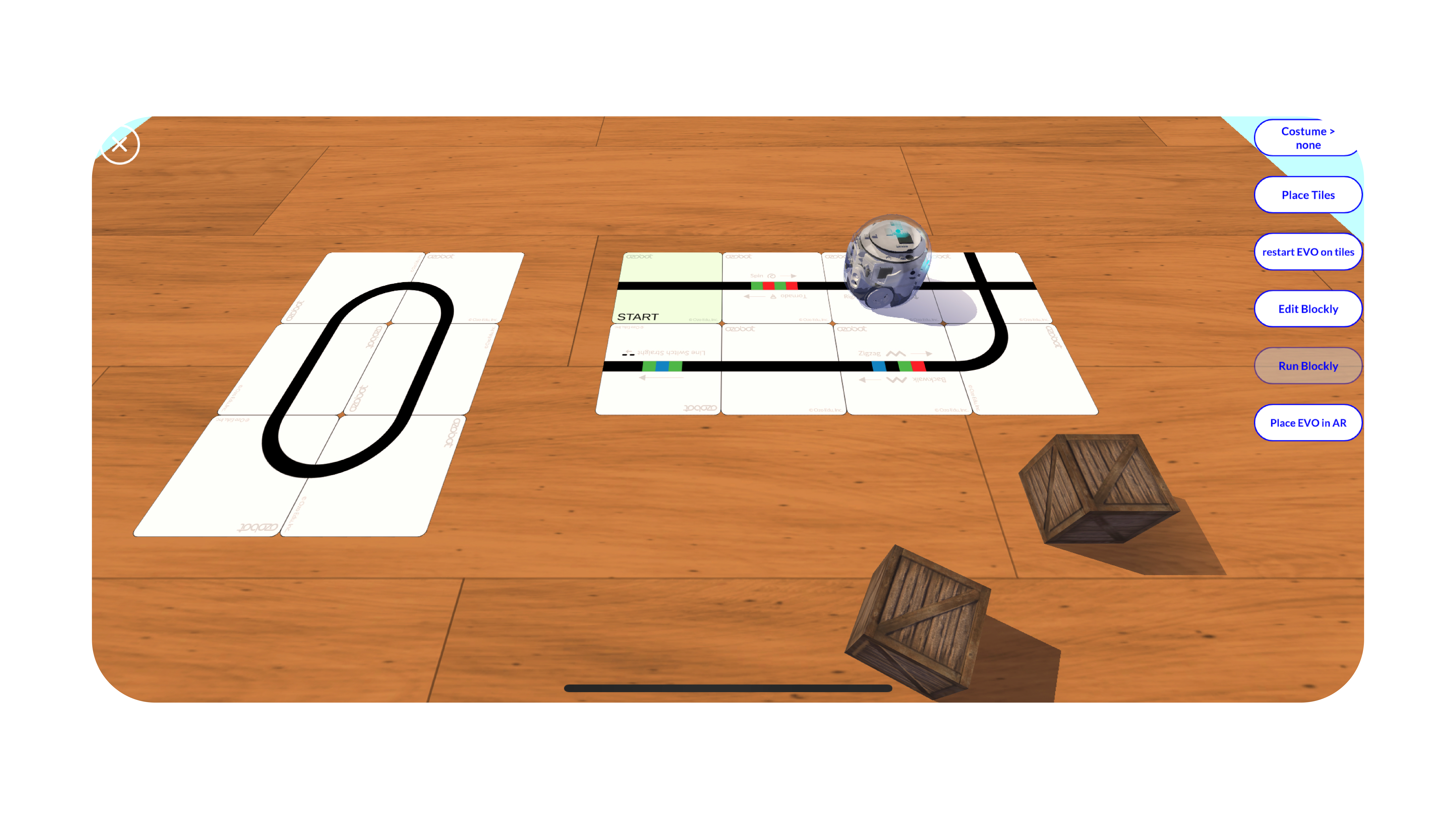
Drawing Color Code tracks by hand, with a stylus or a finger, was dreadful, slow, inaccurate, and no fun to fix once you got it wrong. Color Code tiles solved it. One tile per code turned track-building into something closer to snapping blocks together, faster to build and easier to get creative with, as long as reaching and correcting those tiles stayed just as simple.
04The Idea
Give the app a reason to come back: a fully built 3D simulation where anyone can run the robot on their own Color Code tracks, free. The simulation is the app's main event, not a feature bolted onto the side, with enough game-like polish that trying it for free feels like a reason to want the real robot, not a replacement for it.
05Design
The Grid Builder
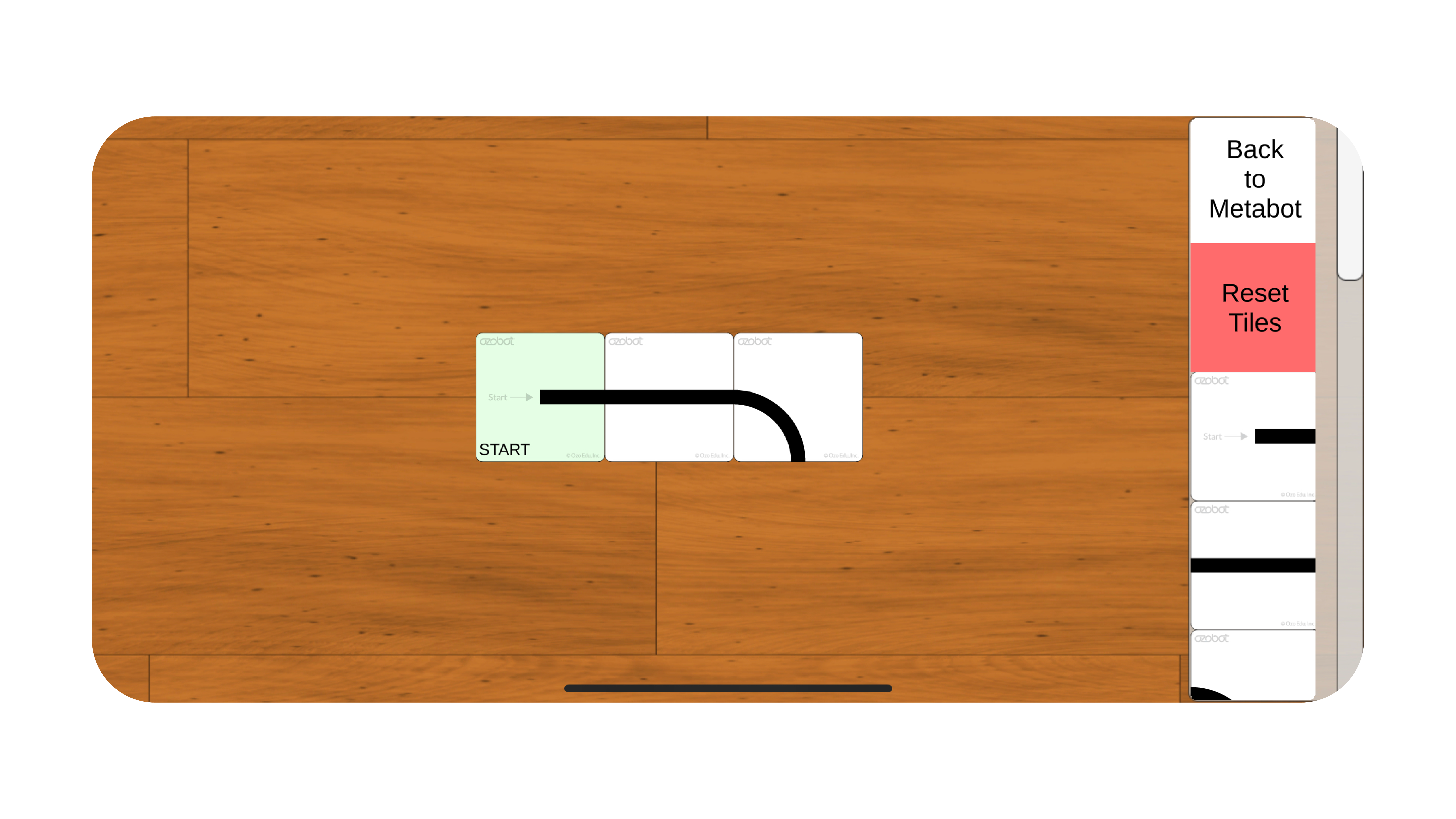
Enter the Color Code track builder. The tile menu sits on the right edge to keep the working grid as large as possible, with all 21 tiles sorted into three categories instead of one long scroll. Since some Color Codes also run in the opposite direction, rotating a tile had to be a single tap. Saving mattered just as much, without it, a complex track was gone the moment the app closed, rebuilt from scratch every single time.
Trading Reality for Imagination
The original app had one point of view, camera aimed straight at the ground, so even a fully immersive environment around it would only ever show a patch of floor. That part was easy to fix. The harder question was how to build a 3D world without the resources a fully modeled one demands. The answer was to wrap a flat image around a cylinder, then set the track down on a raised platform inside it, so all a new world needed was two flat 2D images, ground and backdrop, plus a few new camera angles to sell the illusion.
Creating the Worlds
With resources limited, every Background is a single flat image wrapped around the inside of a cylinder tall enough that you never see the seam at the top, close enough to a real 360-degree world for a robot’s-eye view. Each one was generated in Skybox AI, since the top and bottom needed their own distortion correction to hold up once the camera dropped down to Evo’s height.
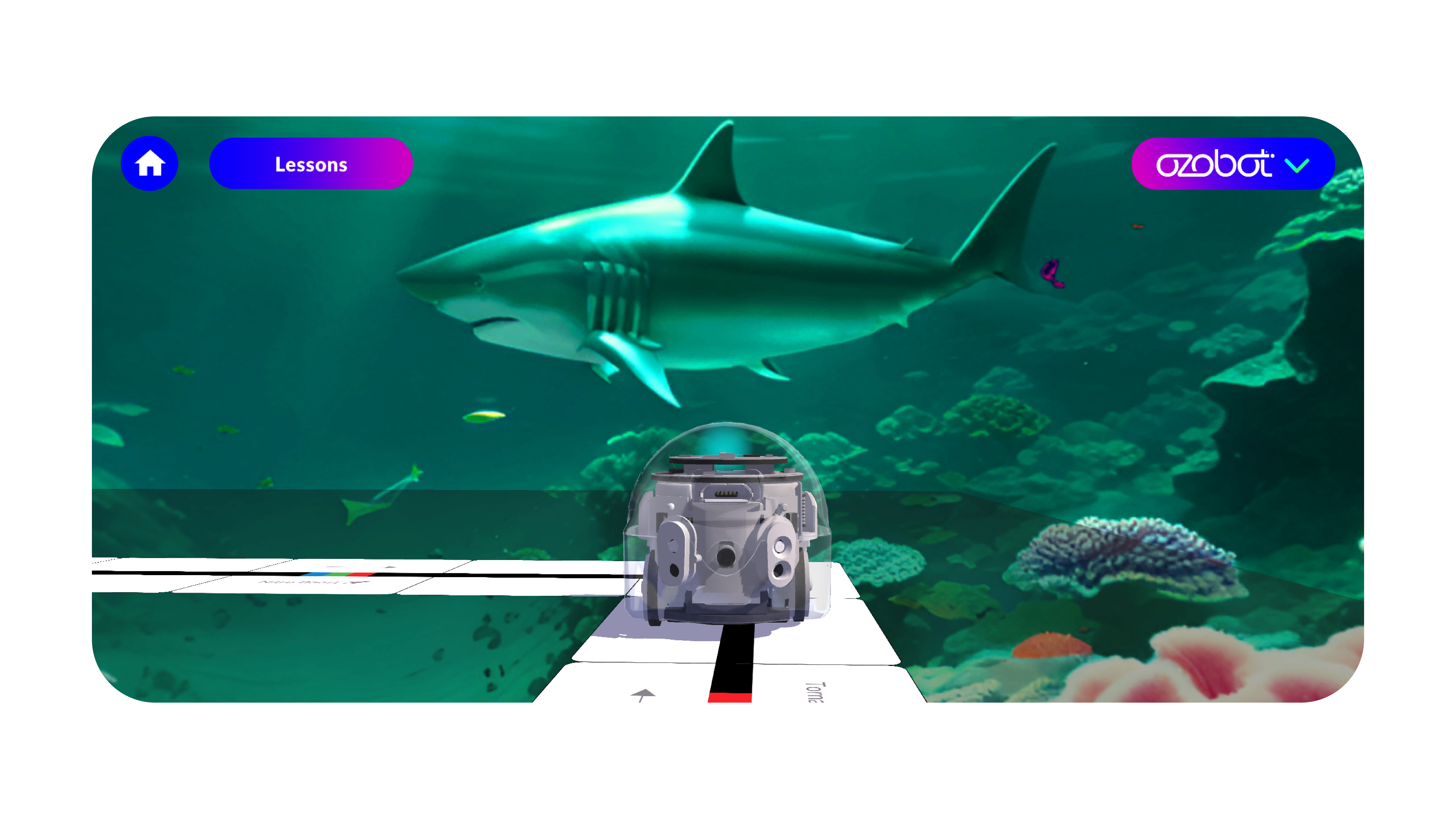
Costumes exist for the same reason, immersion, not just decoration. Each one is a rendered 3D object, and the lineup rotates every few months so there’s always a new costume, and a new interaction, worth coming back to check on.
Point of View adds four camera angles, Side View High, Side View Low, Follow Behind, and Follow In Front, each one framing the same run differently. Letting a student change the shot mid-run does more than look good, it opens up how much of the rendered world is actually visible at once, so the environment stops feeling like a backdrop and starts feeling like a place worth looking around.
Objects With Real Physics
3D objects were added to push engagement further, and the idea got paused before it shipped in full, time ran out, not ambition. What did ship worked: real physics, so objects stacked realistically and reacted with the right kind of bump instead of clipping through each other, and any object could be dragged and repositioned anywhere on the table surface. The first two videos below are the testing phase, the last one is the finished result.
06In the Wild
The On-Ramp
As the interactions got more complex, the app needed a short, guided way in: tap Lessons from the AR view and it opens a MetaBot Lessons Library instead of dropping a student straight into freeform play. Introduction to MetaBot runs four lessons in order, Basic Training, Direction of Intersection, Speed, and Special Moves, each one covering a single Color Code step by step so a student knows what it does before building a track for real. There were plans to expand well past these four, more lessons, more depth, but time ran out before any of it shipped.
The Circuit of the Americas
Not every environment needs a builder. This one came out of a Grand Prix collaboration: recreate the Circuit of the Americas, the actual F1 track in Austin, as a playable MetaBot course. It ships pre-built, no Place Tiles, no drag-and-drop grid, that option is switched off entirely so every student races the same official layout.
Racing an actual circuit still meant testing it at full scale before it shipped, background and all, then confirming the secondary layout held up just as well as the full course.
07Impact
- 5M+App Downloads Since MetaBot
- 93D Environments Shipped
- 1000%+Increase in App Engagement Time
08Reflection
Cutting the AR concept was the right call, not the popular one. Real-world environments had their limits, both visually and creatively. We needed a visual and immersive boost. There is nothing more powerful than a student's imagination and creativity, and we gave them the tools to do that.
Tools — Figma, Adobe Illustrator, Skybox AI